Capacity at a glance
Compare five-hour and weekly remaining quotas, renewal times, the active account and reset credits in one table.
 Project journal
 QuotaCrew for Codex
Your Codex accounts, remaining quotas and ongoing work in one window. Find an available account, choose how you switch, and request continuation of eligible conversations in Desktop or VS Code with QuotaCrew.
Codex Account Manager is now QuotaCrew for Codex.
Free · Windows x64 · Python included · No Node.js required
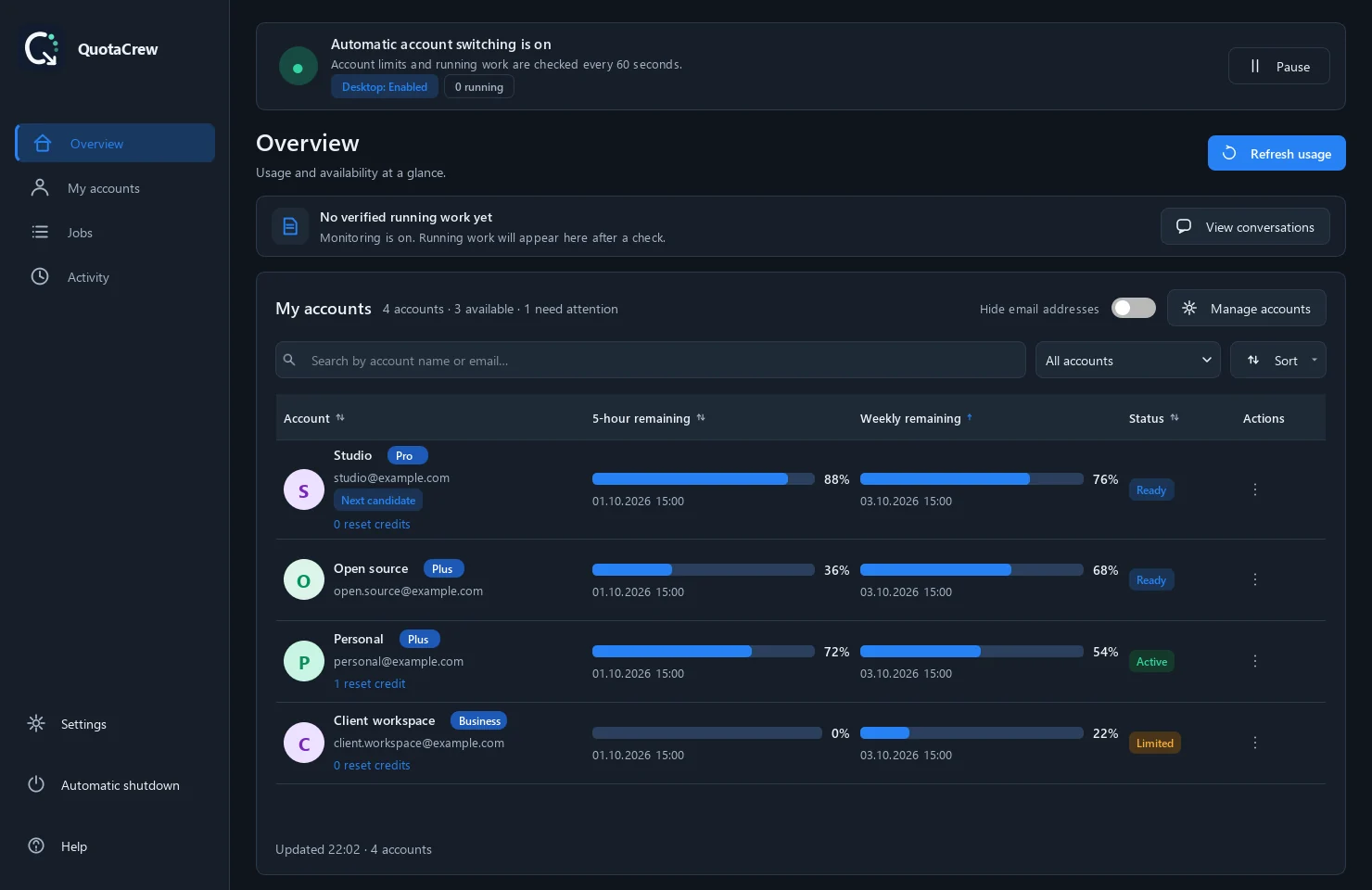
Actual application captures from the README. Account details are sample data.
01 / ACCOUNTS AND QUOTAS
Compare five-hour and weekly remaining quotas, renewal times, the active account and reset credits in one table.
Change accounts yourself, approve a suggestion or enable automatic switching to an available account. Pause monitoring and continuation whenever you need.
A continuation request goes to the same eligible, quota-interrupted conversation. Its existing goal, instructions and budget stay in place.
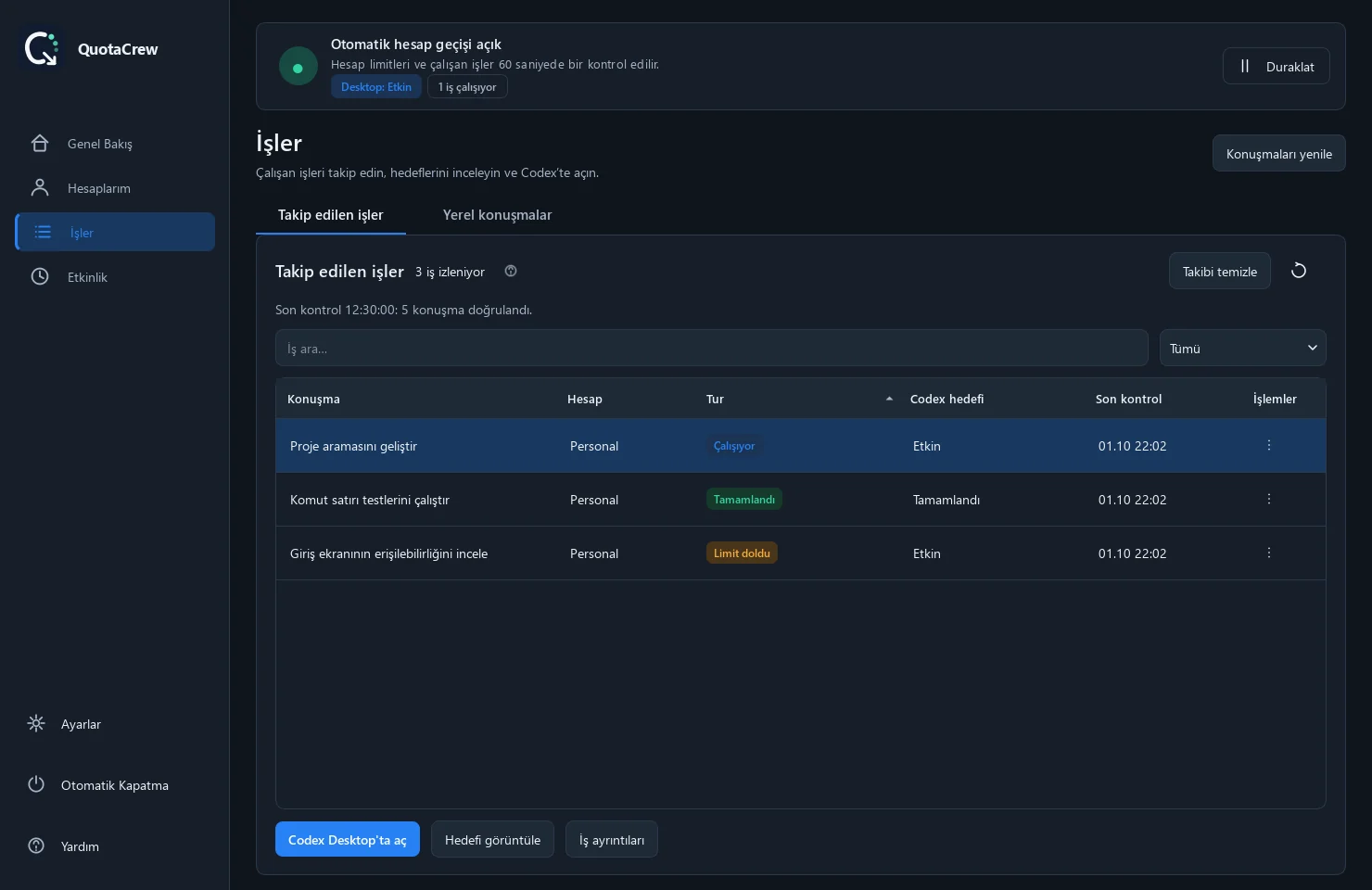
Follow running, completed and quota-interrupted work. Inspect preparation, submission and the observed result of a continuation request.
Monitor from the system tray, start with Windows or schedule shutdown when work finishes, limits run out or a timer expires.
Review new stable releases and release notes. Installed copies verify the package and back up local data before updating.
02 / CONTINUATION
With monitoring and the relevant continuation option enabled, QuotaCrew checks interrupted work and an available account. After switching, it sends a request to the same conversation and tracks the new turn’s result.
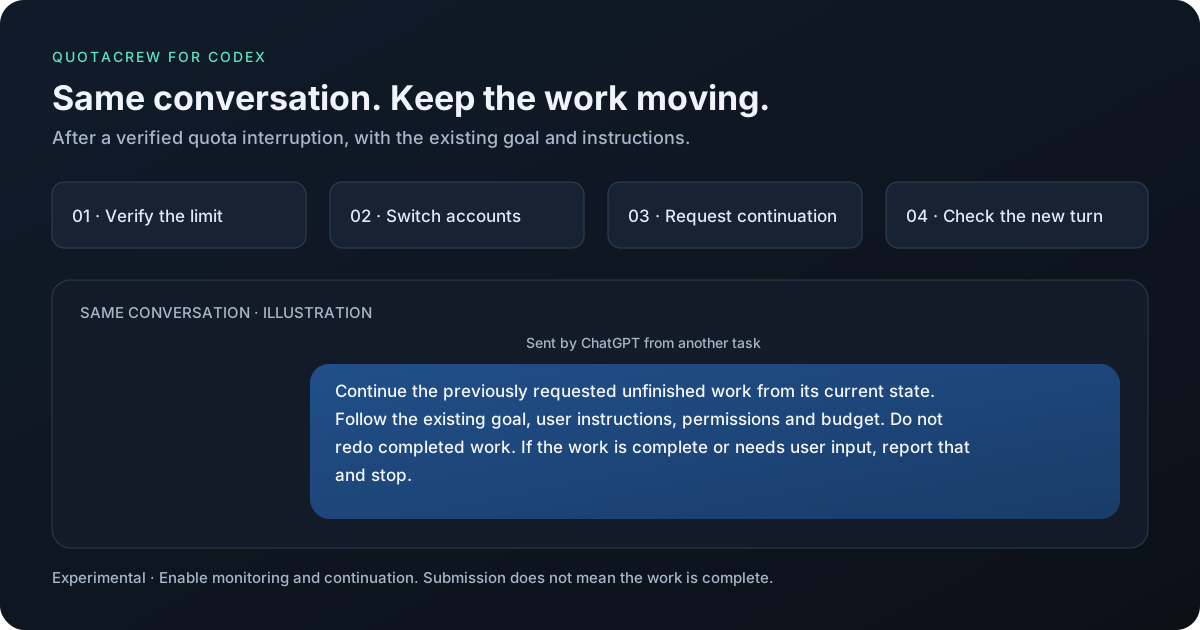
Automatic Desktop and IDE continuation is experimental and depends on connection support in your installed Codex version. The handoff can take a few minutes. Approval steps and user responses stay under your control.
Read the continuation details ↗03 / JOBS AND CONVERSATIONS
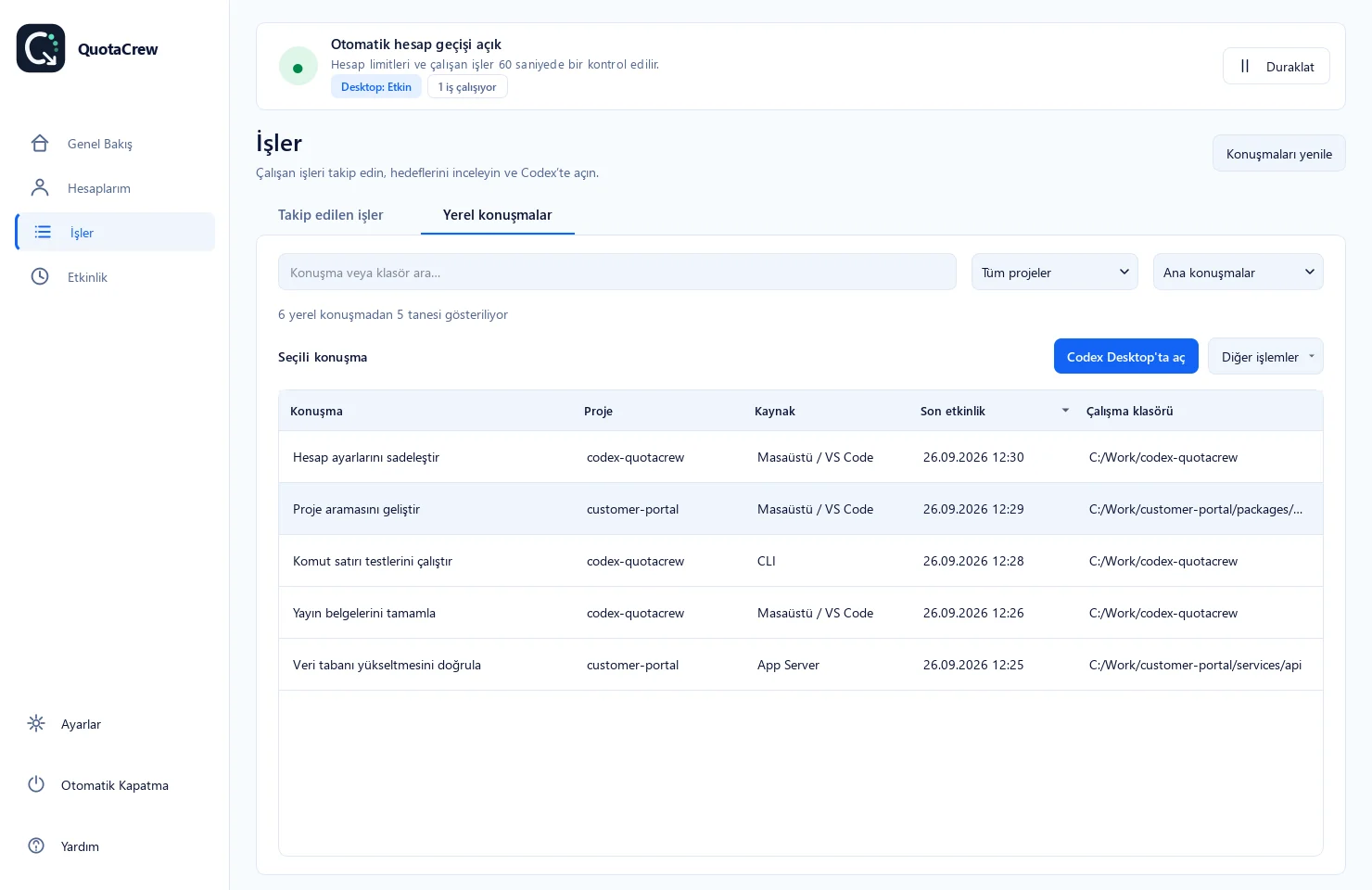
See conversations, their accounts and last-check times together in Jobs. Search local history by project, source, title or folder and open the project in your editor.
04 / VS CODE
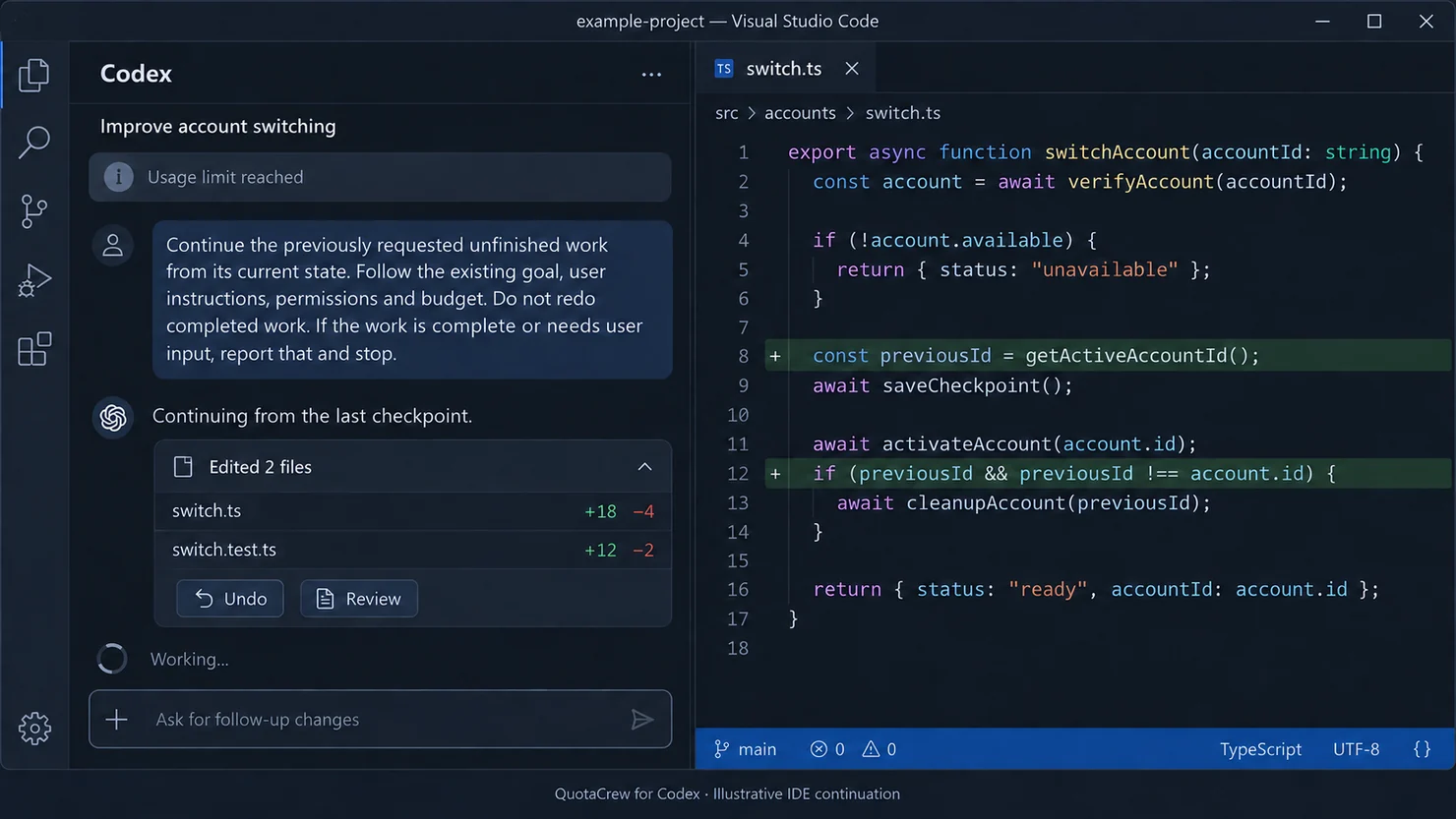
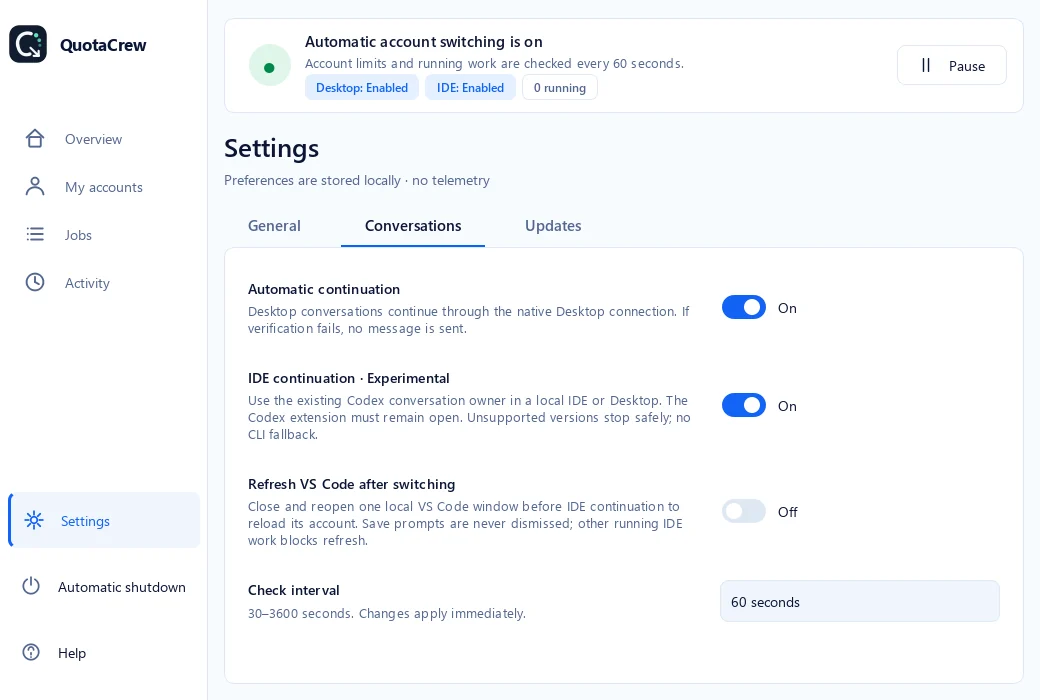
Use OpenAI’s Codex extension in VS Code. Enable IDE continuation in QuotaCrew; if the session needs to reload, also enable VS Code refresh. The single local window reopens the interrupted conversation’s workspace and that same conversation.
05 / YOUR ROUTINE
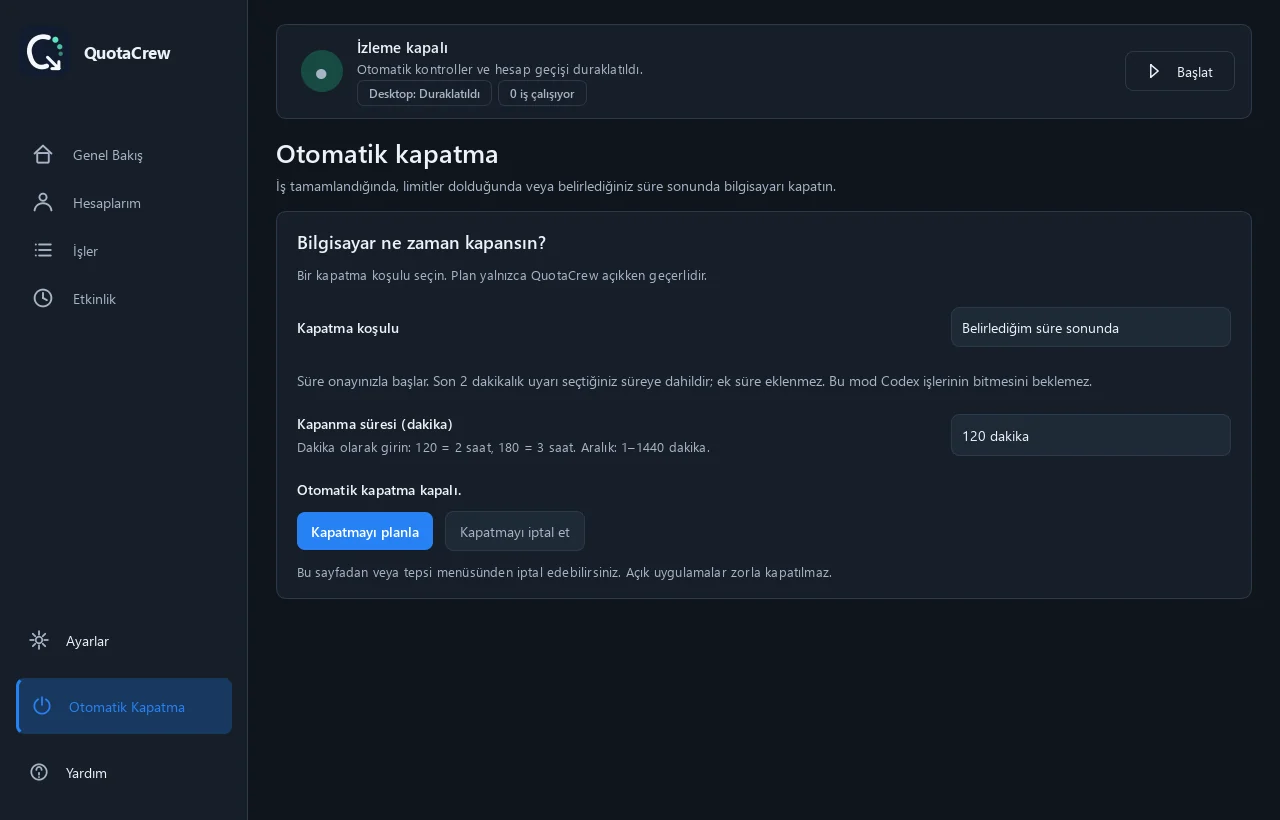
Plan shutdown after a selected job finishes, all saved accounts’ available limits run out, or 1–1440 minutes. Verified work and limit conditions begin a cancellable two-minute countdown when no other work is running. Timer mode does not wait for jobs to finish.
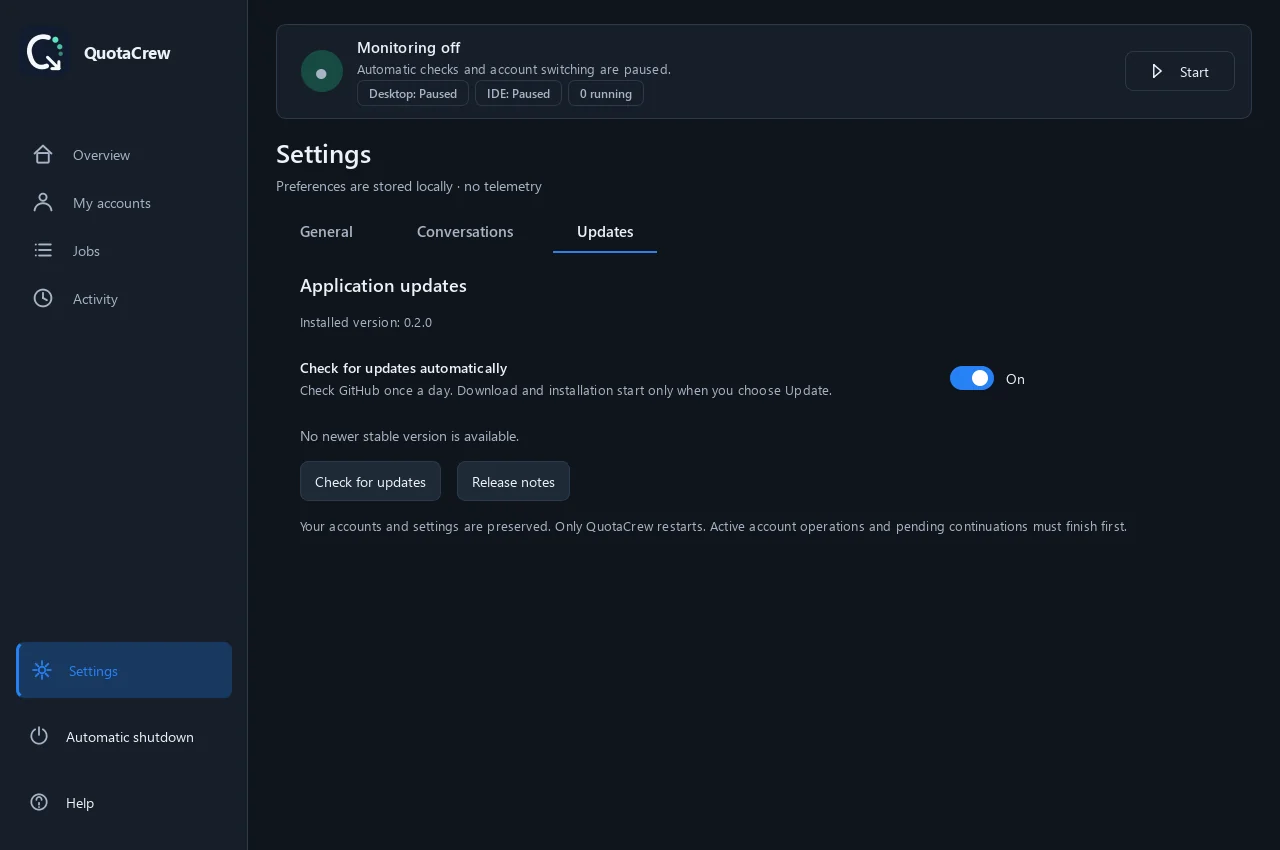
Installed copies check for stable releases. Read the release notes and choose Update: package size and SHA-256 are verified, data is backed up and QuotaCrew restarts. Portable copies are updated manually.
06 / GET STARTED
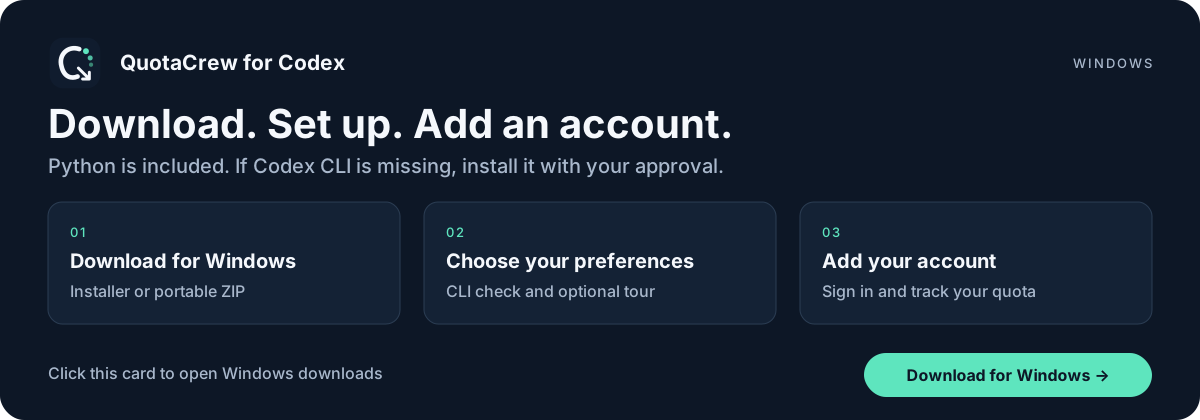
Get the Windows installer from the latest release. For portable use, extract the entire ZIP into a folder and open QuotaCrew.exe.
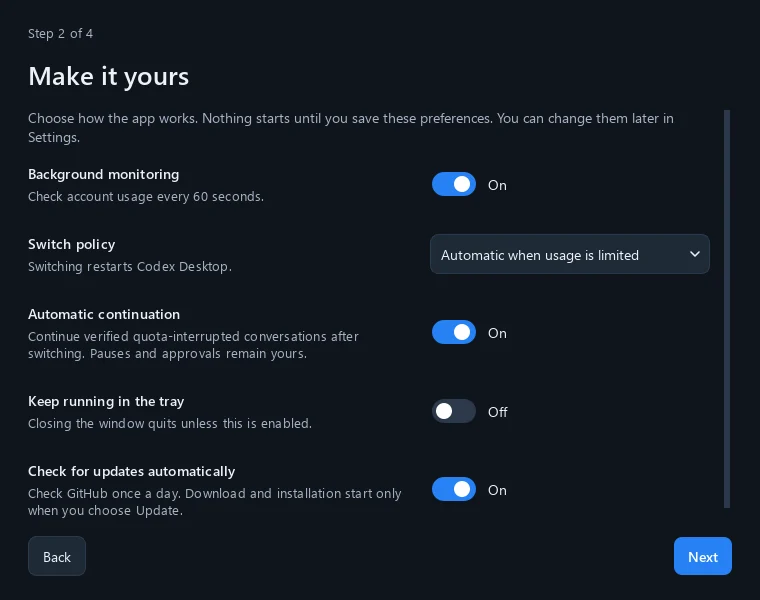
The first-run assistant introduces monitoring, switching, continuation and tray options. If Codex CLI is missing, it offers official Windows installation with your consent.
Open My accounts → Add account and give it a recognizable name. Complete sign-in in the terminal and browser, add your other accounts and refresh their quotas.
07 / PRIVACY
Profiles, preferences and tracking records stay on your computer. QuotaCrew has no telemetry or credential proxy. Installation and updates preserve your existing Codex conversation history.
Yes. QuotaCrew for Codex is the new name of Codex Account Manager. It is a free, MIT-licensed Windows app I built for Codex accounts, quota tracking, account switching and continuation of eligible conversations.
It offers experimental continuation for local VS Code conversations opened with OpenAI’s Codex extension. Optional automatic refresh supports one local window. Remote, WSL, cloud and other-device conversations are outside this scope.
Continuation is not guaranteed for every task. Monitoring and the relevant option must be enabled; the quota interruption, available account and conversation connection must be verified. A continuation request is new model input and can consume quota. User approval steps are not skipped.
The Windows package includes Python; Node.js is not required. If Codex CLI is missing, the first-run assistant offers installation with your consent. Account switching restarts Codex Desktop; save your work first.
They stay on your computer in files with restricted access permissions; they are not encrypted. Codex connects to OpenAI for sign-in and account information. Diagnostic exports exclude credentials, databases and conversation text.
QuotaCrew is free and open source. It does not increase quotas; it helps you track existing capacity and manage account switches. It is independent community software, not affiliated with or endorsed by OpenAI.
QUOTACREW FOR CODEX