Know your limits
See usage windows, reset times and your active account. Unknown usage stays unknown — no guessing.
 Proje günlüğü
A Windows app for managing Codex accounts, watching quotas and continuing eligible work after an account switch. Your conversation stays in Desktop.
Windows x64 / MIT / Python included
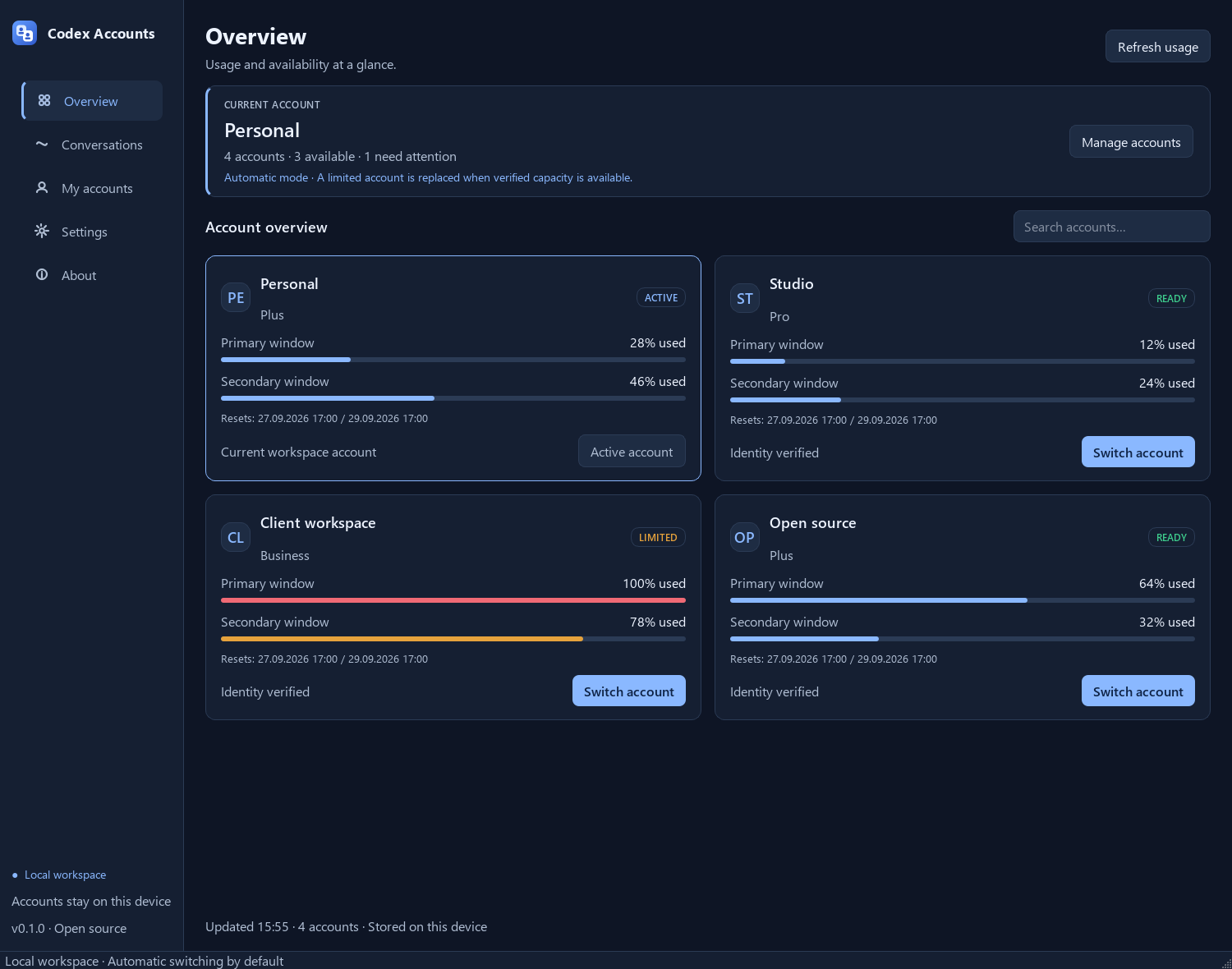
Actual application, shown with synthetic example accounts.
01 / THE APPLICATION
See usage windows, reset times and your active account. Unknown usage stays unknown — no guessing.
Choose automatic, confirmation or manual switching. Identity checks and recovery protect the handoff.
Request continuation in the same conversation, keeping its native goal and Desktop tools. No separate headless writer.
02 / CONTINUITY
Keep the app running in your tray. It checks observed work before deciding whether a conversation can continue.
Read the exact behavior ↗The app records the conversation and goal state during each check.
A confirmed quota failure can trigger a switch to a verified account with capacity. Codex Desktop restarts.
The turn and goal are checked again before a continuation request is sent.
IN FOCUS / CONVERSATIONS
Browse local conversations by project and follow the work in its own context.

No telemetry service. No credential proxy. Inspect the code, review the tests and choose how much automation you want.
No. Desktop continuation is experimental and uses a private, version-dependent protocol. The app must have observed the running turn and verified its quota interruption. Polling can miss short turns; changed goals and uncertain deliveries need attention. Two live quota tests passed same-conversation continuation, native goal completion and Desktop browser use.
Windows x64, the official Codex CLI on PATH and packaged Codex Desktop for Desktop switching. The installer includes Python and offers shortcuts. Binaries are unsigned; release downloads include SHA-256 checksums. Your existing accounts still follow their own quotas and service terms.
Credentials are stored locally with restricted file permissions. They are not encrypted by this app. Codex connects to OpenAI for sign-in and account information. Diagnostic exports exclude credentials, account labels and conversation content.
NEXT COORDINATE / YOUR WORKSPACE